QEEK
Brand Assets
Complete brand guidelines, colors, logos, and assets for marketing and partnerships.
Brand Colors
QEEK uses a dual-accent color system: Amber for marketing and qeek-ui, Blue for the qeek app.
Primary Accents
Amber Accent
Primary brand color for marketing website and qeek-ui
hsl(38, 92%, 60%)#F4A261rgb(244, 162, 97)Marketing website, qeek-ui app, primary CTAs, accents
Blue Accent
Primary brand color for qeek app (Ticket Board) and dark mode primary
hsl(217, 91%, 60%)#3C83F6rgb(60, 131, 246)qeek app UI, dark mode primary, alternative branding
Neutral Palette
Background
hsl(240, 10%, 4%)#0A0A0CPage backgrounds, card backgrounds
Foreground
hsl(0, 0%, 96%)#F5F5F5Body text, headings, primary content
Muted
hsl(240, 10%, 14%)#1F1F26Borders, secondary text, dividers
Logo Variants
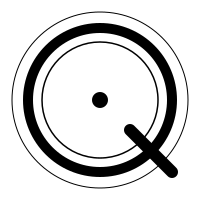
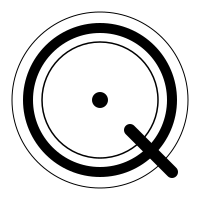
QEEK has two logo variants for different use cases. Use the appropriate variant based on context.
Amber Logo
Used for marketing website (qeek-website) and qeek-ui application


Typography
QEEK uses Geist font family for a modern, technical aesthetic.
Primary Font: Geist Sans
Headings & Body
The quick brown fox jumps over the lazy dog
Regular Weight
ABCDEFGHIJKLMNOPQRSTUVWXYZ
abcdefghijklmnopqrstuvwxyz
0123456789 !@#$%^&*()
Monospace Font: Geist Mono
Code & Technical Content
ABCDEFGHIJKLMNOPQRSTUVWXYZ
abcdefghijklmnopqrstuvwxyz
0123456789 !@#$%^&*()
Usage Guidelines
Best practices for using QEEK brand assets in marketing and partnerships.
Do
- • Use appropriate logo variant for context (Amber for marketing, Blue for app)
- • Maintain minimum clear space around logo (equal to logo height)
- • Use brand colors consistently across materials
- • Preserve logo proportions when resizing
- • Use SVG format for scalability
Don't
- • Don't modify logo colors or proportions
- • Don't place logo on busy backgrounds without sufficient contrast
- • Don't rotate or distort the logo
- • Don't use outdated logo versions
- • Don't combine logo variants in the same context
- • Don't use colorful box icons or emoji-style icons in brand materials
Download Assets
All brand assets are available for download. Right-click or use the download buttons.
Color Palette
All color values are provided above with copy-to-clipboard functionality.
For design tools, use the HSL values for consistency with our design system.